

25 September 2013
How to Create a Textured Background Using Color Functions and Bump Maps
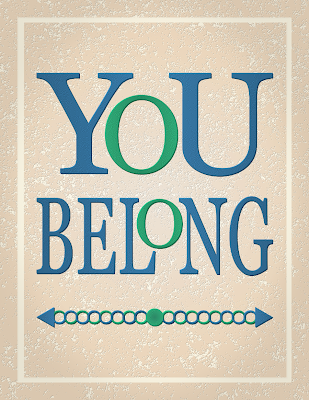
In a previous tutorial, I described a method of creating a background using overlays of various artistic GIMP filter effects. In this tutorial, I'll describe a method of creating a textured background with a 3D look, similar to the one in the following image, using a photo of some gray stone and various functions from the Colors menu combined with Bump Mapping.

16 September 2013
How to Create Weathered Text on Wood
Let's say you want to create the look of text painted on a wooden board and you want the text to look like it's been out in the weather for a long while. There are several methods you can use to distress text. You can find some of them on the web by searching for “GIMP text”, plus one of the following words: weathered, distressed, worn.
This tutorial describes how to create the following image using a photo of a gray board, some text, and a photo of a rusty metal texture that is processed and turned into a layer mask. You can download the two photos (Weathered Gray Wood 0099 and Rusty Metal 0817) from the Free Images page of my blog.

06 September 2013
How to Create Lightning Bolts with GIMP

GIMP is really useful for adding
special effects to photos and drawings. In this article I'll describe
a simple method for creating lightning bolts that can then be
resized, reoriented, scaled, or otherwise processed to fit into an
image.
14 August 2013
Behind the Scene – Creation of a Seascape
Back in the autumn of 2012 I had seen a design on Zazzle that I liked quite a lot. It was a limited-palette, multicolored, layered, southwest United States-style design. I got the urge to create something using a similar concept, so after
letting my subconscious mull it over for a bit I woke up one morning with the idea of a seascape and quickly made a sketch.

30 July 2013
GIMP Quickie No. 2 – Creatively Rescuing a Poor Photo
Original Photo
- Shot with a hand-held camera at the Tulsa Zoo through dingy glass in low light.
- Camera: Canon EOS 5D Mark III
- Lens: Canon Zoom Lens EF 70-200mm 1:2.8 L IS II USM
- Settings: manual mode, f/5.6, 1/100 sec, ISO 800, 200mm, no flash
- Image size: 5760 x 3840 px
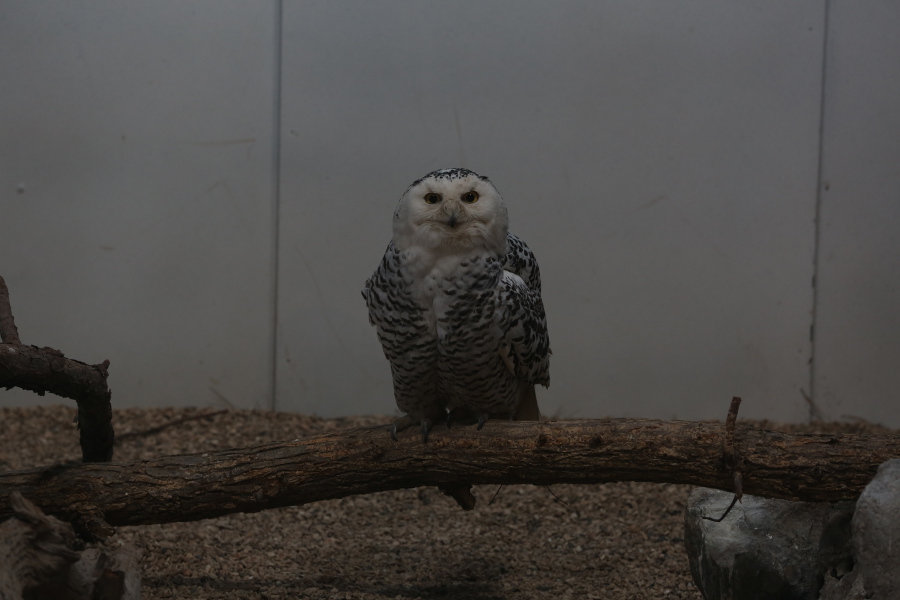 |
| Original Snowy Owl Photo |
24 July 2013

17 July 2013
Changing Brightness and Contrast Without Affecting Saturation
A Color Experiment
A while back I was made aware of an
article on DPReview.com entitled Reducing Contrast Without the ColoursFading (using GIMP) wherein Tom Axford talks about the need for reducing the contrast in or otherwise brightening an image to make it
look better in print. His original technique involved using an HSV model to make adjustments to a value layer without affecting the saturation of the colors in an image.
Intrigued by the concept, I decided to perform an experiment to see exactly what effect brightness and contrast adjustments have on colors. I created three squares, one each of red, green, and blue — red being lighter, green being darker, and blue being of medium intensity.

Subscribe to:
Posts (Atom)