Contents ~ Posts ~ Free Images ~ GIMP 2.8 Shortcuts ~ Studio Dalio Gallery
Showing posts with label photo adjustment. Show all posts

30 July 2013

GIMP Quickie No. 2 – Creatively Rescuing a Poor Photo

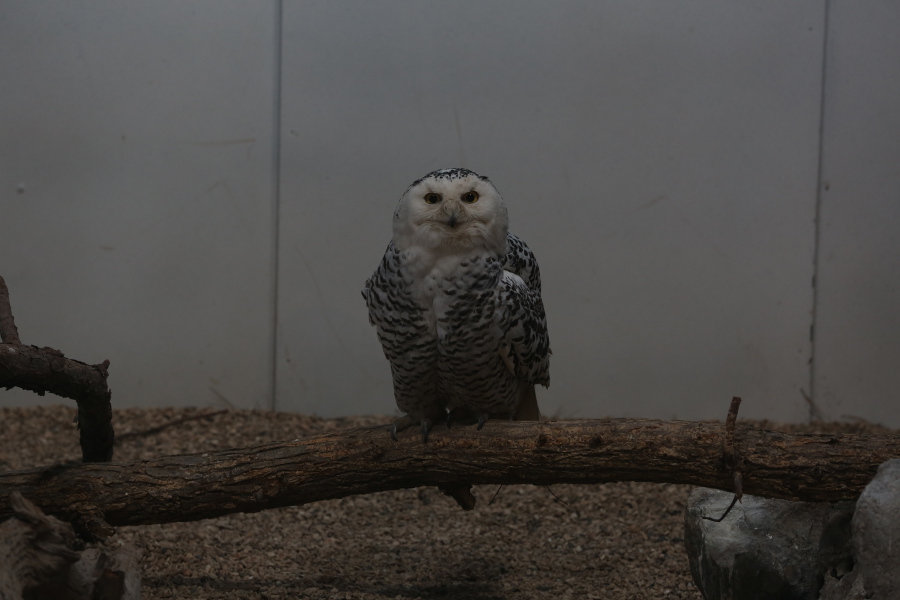
Original Photo

  • Shot with a hand-held camera at the Tulsa Zoo through dingy glass in low light.
  • Camera: Canon EOS 5D Mark III
  • Lens: Canon Zoom Lens EF 70-200mm 1:2.8 L IS II USM
  • Settings: manual mode, f/5.6, 1/100 sec, ISO 800, 200mm, no flash
  • Image size: 5760 x 3840 px


Original Snowy Owl Photo

17 July 2013

Changing Brightness and Contrast Without Affecting Saturation

A Color Experiment


A while back I was made aware of an article on DPReview.com entitled Reducing Contrast Without the ColoursFading (using GIMP) wherein Tom Axford talks about the need for reducing the contrast in or otherwise brightening an image to make it look better in print. His original technique involved using an HSV model to make adjustments to a value layer without affecting the saturation of the colors in an image.

Intrigued by the concept, I decided to perform an experiment to see exactly what effect brightness and contrast adjustments have on colors. I created three squares, one each of red, green, and blue — red being lighter, green being darker, and blue being of medium intensity.

Initial Colors

18 June 2013

Using Color to Define the Focal Point of an Image with GIMP

Making the Balloons Pop!


Have you ever wanted to emphasize a particular part of a photo to make it stand out against a busy background? This intermediate-level GIMP tutorial describes a technique whereby you create a zone of color surrounded by a grayscale background to focus attention on the area of interest.

Specifically, I'll describe how to create this image:

Colored Balloons on a Grayscale Background